Gizmo Watch 3 - Change Watch Face
Here's how to change the watch face on your child's Gizmo Watch 3.
Gizmo Watch 3 is designed to work in conjunction with the Smartphone app of the caregiver. However, this device is equipped with a touch screen.
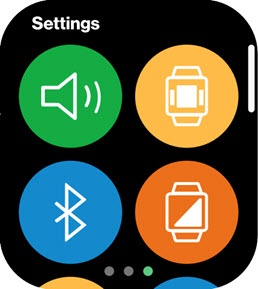
- Swipe left or right from the main screen to access the 'Settings' screen.
- Do one of the following:
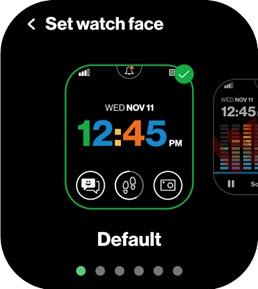
- Set watch face
- Tap theSet watch face icon
(upper-right).
- Select the desired theme (e.g., Bubbles, Mosaic, etc.) by swiping left or right then tap the desired theme.
- TapSet as watch faceto confirm.
- Set watch theme
- Tap theThemes icon
(lower-right).
- Select one of the following then tap theBack icon
:
- Dark
- Light