Verizon Internet Gateway - Set Up Port Forwarding
Here's how to set up port forwarding as an advanced networking option on the Internet Gateway.
Port forwarding is an advanced networking feature. To obtain app settings, contact the app creator.
- Access the router admin page then clickAdvanced(at the top).Refer to Access Admin Page for assistance.
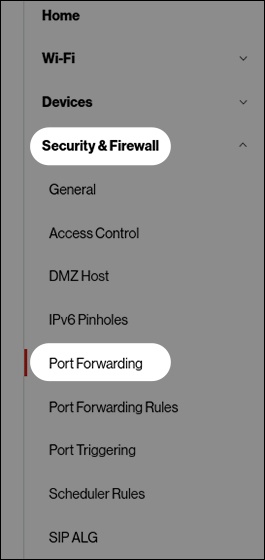
- From the left menu, clickSecurity & Firewallthen clickPort Forwarding.
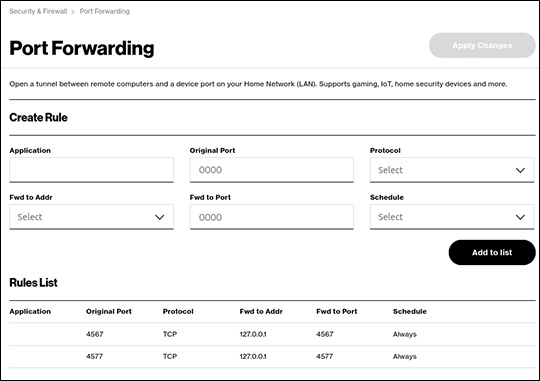
- From the the Port Forwarding section, configured as desired then clickApply Changes(upper-right).