Inseego MiFi X PRO 5G UW - Network Mode Settings
View this info on network mode settings if you're having issues with data services on your Inseego MiFi X PRO 5G UW.
Changing advanced settings may be harmful to the stability, performance, and security of your Inseego MiFi® X PRO 5G UW. Contact your local IT admin before altering advanced settings.
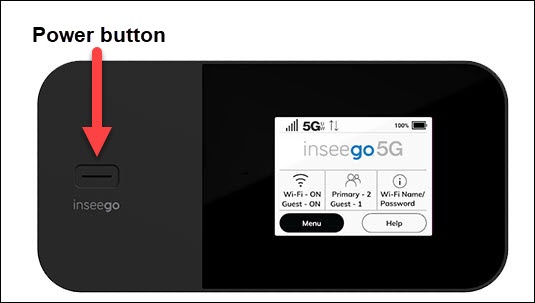
- From the Home screen, tapMenu(lower-left).If necessary, press thePower buttonto turn on the display.
- TapSettings.
- TapNetwork Settings.
- View the setting (selected when a black dot is present).Auto (LTE/5G): This is the only setting available.
To view network mode settings info via the Admin Web Interface, refer to Advanced Settings then view the 'Network' section.