Apple iPhone - Turn SMS / Call Reporting On / Off
Turn on the SMS / Call Reporting setting to report calls and text messages as spam from your iPhone without opening the Call Filter app.
- Calls and text messages identified by Verizon as intentional spam or fraud are silenced / not displayed / automatically sent to voicemail. The Call Filter App must be installed for full functionality.
- From a Home screen on your Apple® iPhone®, tapSettings
.
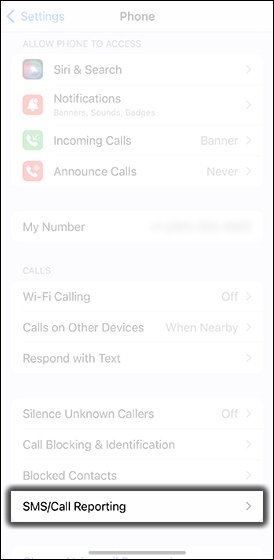
If an app isn't available on your Home screen, swipe left to access the App Library. - TapPhone.
- TapSMS/Call Reporting.
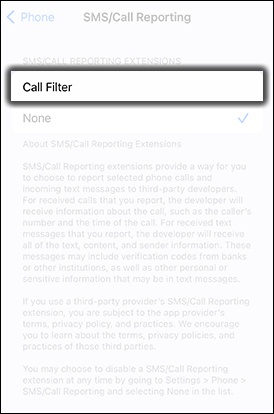
- TapCall Filter.
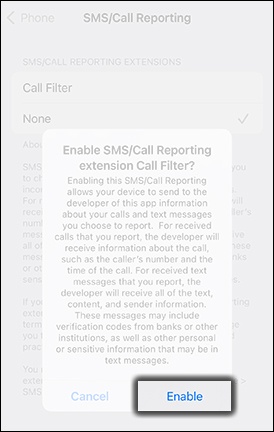
- TapEnable.Calls and text messages can now be reported natively (from within the menus on your iPhone).
For additional ways to detect and block spam calls and text messages, check out this Apple Support page.