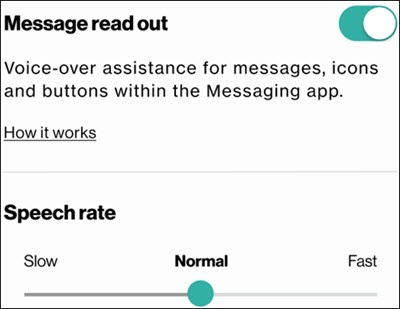
GizmoHub App - Turn Message Read out On / Off
Here's how to enable your GizmoWatch 2 to read text messages out loud.
At this time, message read out is available only on the GizmoWatch 2.
- Ensure the GizmoHub app is updated (Google Play™ Store or Apple® App Store® ).
- Check out the GizmoHub FAQ page for more info.
- Open theGizmoHub app
on the companion smartphone.
If necessary, install the GizmoHub app via the Play Store or App Store. - From the list of devices, tapGizmoWatch tile(with the battery status).
- From the Settings menu, scroll down toMessage read out.
- Tap theMessage read out switchto turn on
or off
.
You can also adjust the speech rate (slow, normal or fast) of the message read out. - With Message read out enabled, tap on a message (or an emoji) to hear the message play out loud.