TCL 30 LE - Restart Device
Here's how to restart your TCL 30 LE if it crashes and resets, freezes or runs slowly.
In rare cases, a restart could affect data (e.g., backup in progress, cached data, etc.).
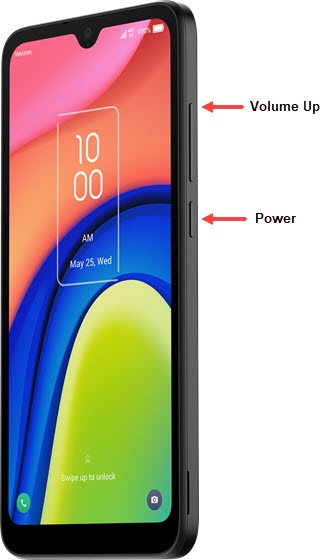
- Press and hold thePower button and volume up button(right edge) until the 'Power off' prompt appears then release.If device is unresponsive or frozen, remove then re-insert the battery.
- From the Phone options screen, tapRestart.Allow several minutes for the process to complete.