Verizon Internet Gateway - Backup / Restore Current Configuration
Here's how to back up and restore the current settings for the Internet Gateway.
- Access the router admin page then clickAdvanced(top).Refer to Access Admin Page for assistance.
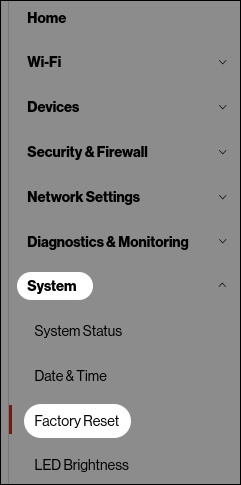
- From the left menu, clickSystemthenFactory Reset.
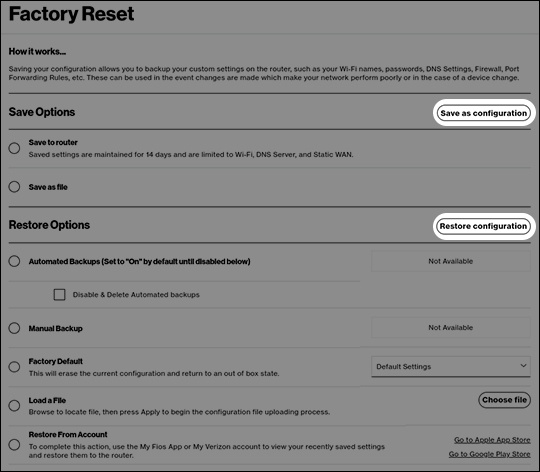
- From the 'Factory Reset' page, do one of the following:
- To backup, choose either 'Save to router' or 'Save as file' then clickSave as configuration.
- To restore, choose one of the following then clickRestore configuration:
- Automated BackupsSet to 'On' by default until disabled.
- Manual Backup
- Load a FileBrowse to locate file then press Apply to begin the configuration file uploading process.
- Restore From AccountTo complete this action, use the My Verizon app to view your recently saved settings and restore them to the router.
Follow the prompts to complete the steps.