Orbic Speed 5G - Turn Airplane Mode On / Off
To turn Verizon network services on/off or if they aren't functioning on your Orbic Speed 5G, view this info.
When Airplane Mode is on, Verizon network data services won't work on your Orbic® Speed 5G™.
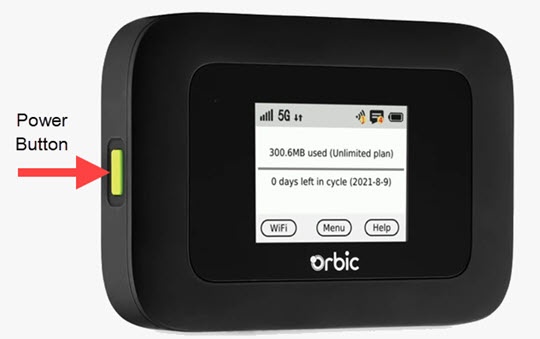
- Press thePower button(front of device) on your Verizon Orbic® Speed 5G™ to turn on the display.
- TapMenu(on the device screen).
- From the 'Menu' screen, tapSettings.If applicable, swipe the screen to the left or right to view additional options.
- Tap theAirplane Mode switchto turn on
or off
.