Orbic Speed 5G - Restart Device
Here's how to restart your Orbic Speed 5G if it crashes and reset, freezes or runs slowly.
Performing a restart / soft reset (powering your Orbic® Speed 5G™ off then back on) is similar to restarting a desktop computer and is one of the first steps in troubleshooting. In most cases, a restart doesn't affect data on the device unless the battery is very low.
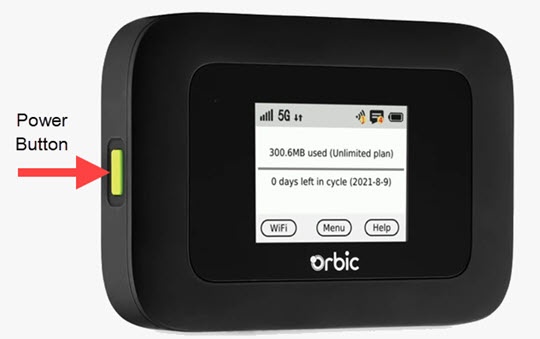
Via Device
- Locate thePower buttonon the left edge of the device.
- Power the device off.Press and hold thePower buttonfor 3 seconds then release.If unable to power the device off, remove then re-insert the battery.
- Power the device on.Press and hold thePower buttonuntil 'Welcome' appears on the display then release.
Via Admin Web Interface
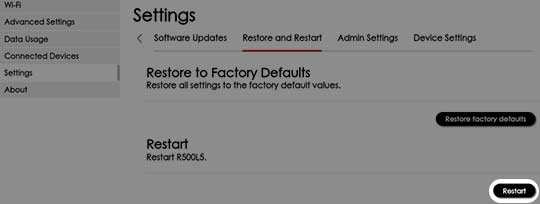
- Access the Admin Web Interface.
- From the top menu, clickConfiguration.
- From the left menu, navigate: .
- From the 'Restart' section, clickRestartthen follow the prompts.You'll need to sign back in to the Admin Web Interface.