Samsung Galaxy S21 FE 5G - Manage RTT Settings
Here's how to use the real-time text (RTT) functionality on your Galaxy S21 FE 5G.
Real-time text (RTT) is text transmitted instantly as it is typed or created. Recipients can immediately read the message while it is being written, without waiting or need for an additional device.
Change RTT Visibility
- From a Home screen, swipe up to access the apps screen.These instructions only apply to Standard mode and the default Home screen layout.
- Navigate:.SettingsAccessibilityHearing enhancements
- TapReal Time Text.
- TapRTT call button.
- Select the preferred setting:
- Visible during calls: Show the RTT call button only during RTT calls.
- Always visible: Show the RTT call button on the keypad and during all calls.

Make a Call with RTT
- With RTT enabled, from a Home screen, tap thePhone icon
.
If unavailable, swipe up from the center of the display then tapPhone. - Do one of the following:
- From the Keypad tab (lower-left), enter a 10-digit number then tap theRTT call icon
(at the bottom).
- From the Contacts tab (lower-right), select a contact then tap theRTT call icon.
Switch a Call to RTT
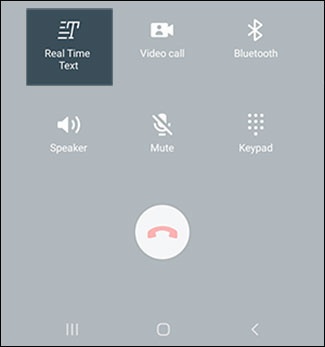
- While on a call, tapReal Time Text.
End an RTT Call
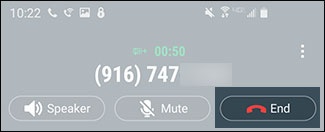
- While on a call, tapEnd.