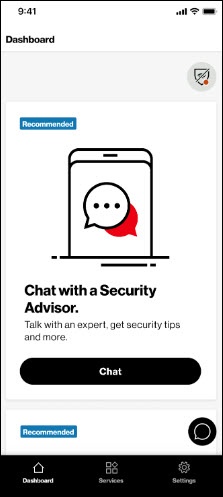
Digital Secure App - Talk to a Security Advisor
Here's how to talk with an expert via the Digital Secure app to receive security tips and more.
- Open the Digital Secure app.
- From the Dashboard tab, scroll down to ‘Chat with a Security Advisor?' then tapChat.Alternatively, from the Services tab, locate then tapSecurity Advisor.
- To reach a Security Advisor perform one of the following:
- Tap theChat icon
.
- Call*611from your Verizon mobile phone: When prompted, say "I want to speak to a Security Advisor."