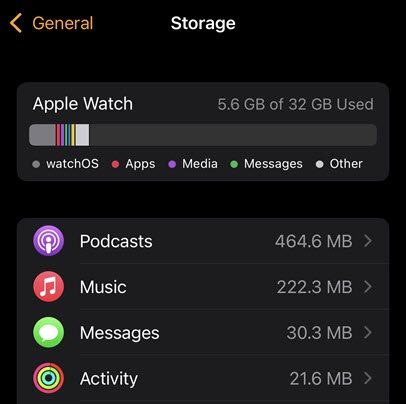
Apple Watch - Check Device Storage
Here's how to free up space if your Apple Watch runs slowly or crashes / resets or apps freeze when running them.
- The steps below apply to the Apple Watch® Series 3 and newer models.
- If your Apple Watch says you need more available storage refer to this Apple Support page.
From the Watch
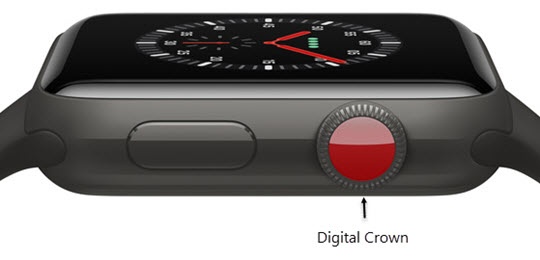
- Press theDigital Crownon your watch to see your apps.
- Tap theSettings icon
.
- TapGeneral.
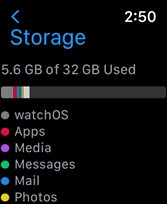
- TapStorageto view the device storage details.
From the iPhone
- From your iPhone®, open theWatch app
.
- Tap theMy Watch tab(lower-left) then tapGeneral.
- TapStorageto view the device storage details.