Samsung Devices - View Digital SIM (eSIM) IMEI
Here's how to view the digital SIM IMEI for your dual SIM capable Samsung device.
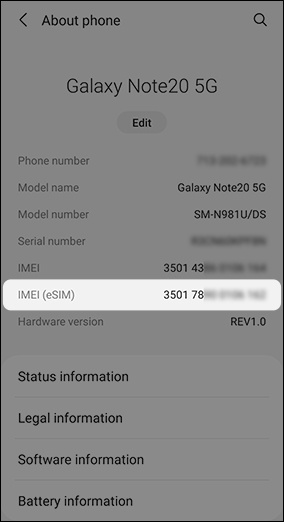
To check if your device is eSIM (embedded SIM) capable, navigate: then view IMEI (eSIM).
Alternatively, you can navigate: to view or add eSIM.
In order to see the eSIM options, the device must be running the current software version.
- From a Home screen, swipe up from the center of the display to access all apps.
- Navigate:.SettingsAbout (phone or tablet)
- View 'IMEI (eSIM)'.The image below is an example.