Samsung Devices - Dual SIM Dual Standby (DSDS) - Rename SIM Line
Here's how to change the name of your SIM on your dual SIM capable Samsung device.
In order to see the eSIM options, the device must be running the current software version.
- From a Home screen, swipe up from the center of the display to access all apps.
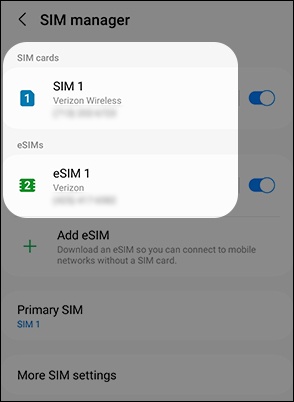
- Navigate:Settings>Connections>SIM manager.
- Tap the SIM you wish to edit.The image below is an example.
- TapName.
- Enter or edit the name (e.g., Personal, Work, etc.) then tapDone.
- If desired, tapIconthen select the preferred image.