Kyocera DuraSport 5G UW - Use Multi Window
Here's how to use two apps simultaneously on your DuraSport 5G UW.
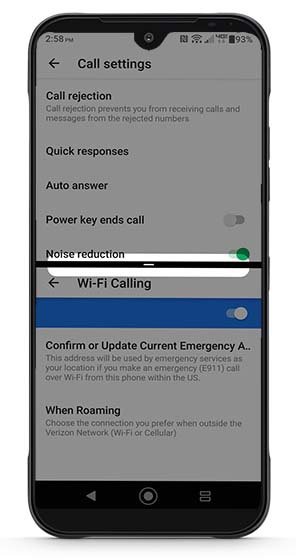
- 'Multi window' is also referred to as split screen and allows multiple apps to be run on the current screen at the same time.
- Not all apps support 'Multi window'.
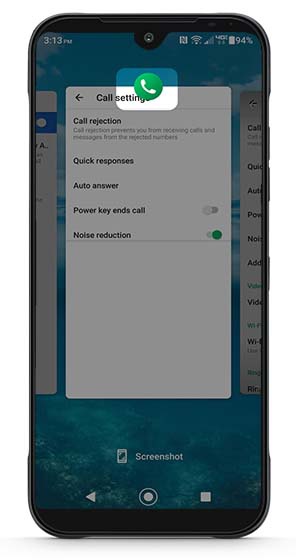
- From a Home screen, tap theRecent apps icon
.
- Swipe left or right to locate the preferred app.
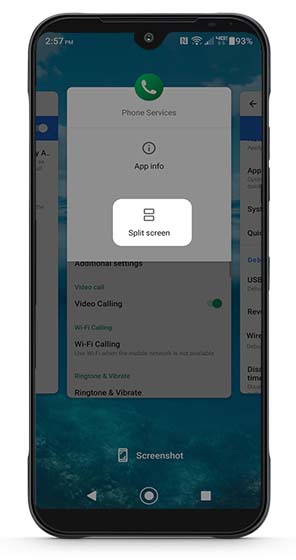
- Tap the app icon (e.g., Chrome, Settings, Gmail, etc.) located at the top of the panel.Options may vary depending on the app selected.The image below is an example.
- TapSplit screen.
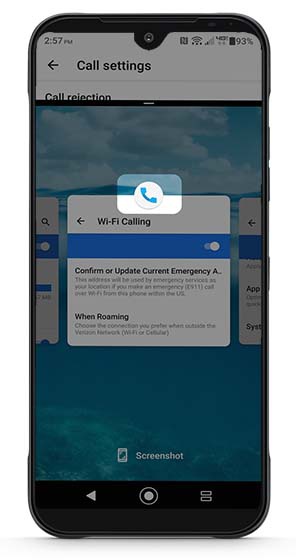
- Scroll to and tap the second app screen.
- To close the split screen, drag theblack bardown to the bottom of the screen.