Verizon Router - Restart Device
Here's how to restart your Verizon Router.
Once the LED light turns solid white, you can re-connect your devices to the router.
After performing these steps, it may take up to 10 minutes before service is available.
Restart via Admin WebGUI
- Sign in to the Admin WebGUI.
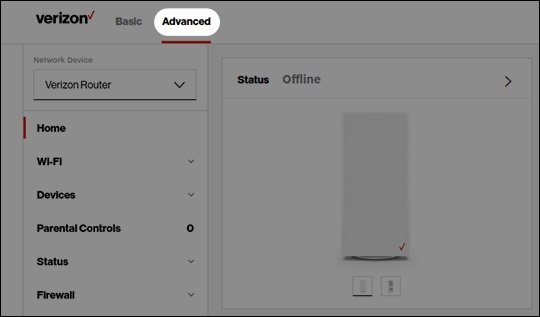
- ClickAdvancedat the top of the page.
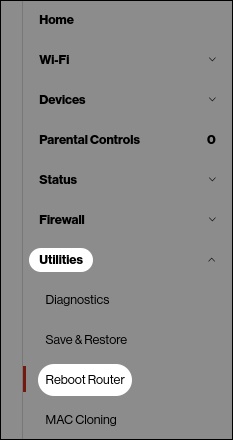
- From the left menu, clickUtilitiesthenReboot Router.
- ClickReboot Device.The LED light turns off along with the device.

Restart via Reset Hole
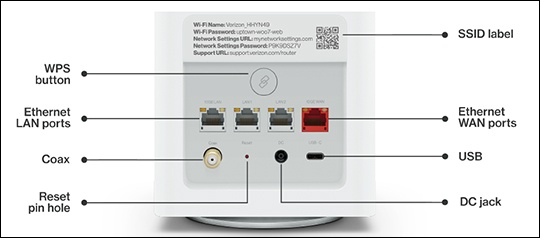
- Using the tip of a ballpoint pen or pencil, press and hold the reset button located on the rear of the device for at least 3 seconds.Holding the reset button for 10 seconds will reset the device to factory default settings.The LED light turns off along with the device.