MOTOROLA EDGE 5G UW - Restart Device
Here's how to restart your motorola edge 5G UW if it crashes and resets, freezes or runs slowly.
Restarting your motorola edge 5G UW can help if you experience continuous resetting / rebooting, crashing, freezing or if the touchscreen is unresponsive.
- Since this device has a non-removable battery, the restart (soft reset) process can be used to simulate a 'battery pull' when the device is unresponsive, frozen or doesn't power on.
- In rare cases, a restart could affect data (e.g., backup in progress, cached data, etc.).
Preferred Method
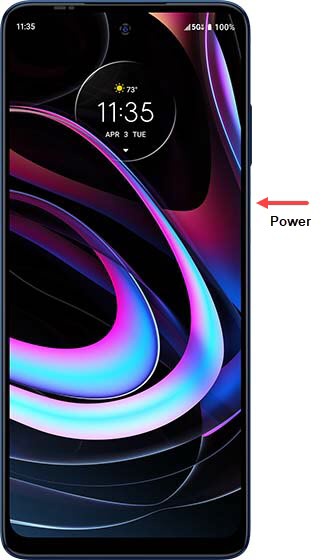
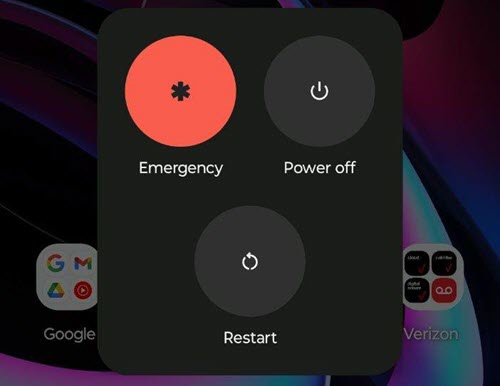
- Press and hold thePower button(on the right edge) until the 'Power off' option appears then release.If the device is unresponsive, attempt the alternate method.
- TapRestart.If your device won't power back on, partially charge the device then retry.
Alternate Method
- Press and hold thePower button(on the right edge) for approximately 10 seconds or until the device power cycles.
- Allow several seconds for the reboot process to complete.If your device won't power back on, partially charge the device then retry.