Session status messages
Session Status

Due to inactivity, your session will end in approximately 2 minutes. Extend your session by clicking OK below.

Due to inactivity, your session has expired. Please sign in again to continue.

TCL FLIP Pro - View Call History

2026-10-22 21:02:22.96

TCL FLIP Pro - View Call History

Here's how to view the call history of your FLIP Pro.
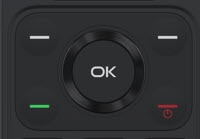
  1. From the main screen, press the
    OK button
    .
    Utilize the 5-way navigation pad to highlight and the OK button to select.
    5-way Navigation Pad
  2. Select
    Call Log
    .
  3. Highlight then select the appropriate tab using the right and left navigation keys:
    • All
    • Missed
    • Dialed
    • Received