TCL FLIP Pro - Place a Conference Call
Here's how to make a conference call on your FLIP Pro.
HD Voice allows calling with up to 6 parties while in a Verizon 4G LTE coverage area; however, each additional call must be initiated by the call originator.
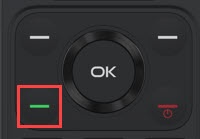
- From the main screen, enter a 10-digit phone number then press theSend key.
- Once the connection is successful, press theright soft key
to choose Add call > Dialer.
- Enter the next 10-digit phone number then press theSend key.
- Once the connection is successful, press theright soft keyto choose Options.
- Press theSend keyto create a conference call.