TCL FLIP Pro - Manage Mobile / Wi-Fi Hotspot Settings
Here's how to configure Mobile Hotspot settings (e.g., password, network name, etc.) for your FLIP Pro.
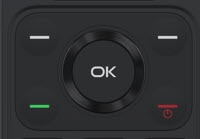
- From the main screen, press theOK button.
- Utilize the 5-way navigation pad to highlight and the OK button to select.
- SelectSettings.
- SelectMobile hotspotand choose one of the following options:
- On
- Off
- SelectSetup Mobile Hotspot.Mobile Hotspot must be on to access setup.
- From the Setup Mobile Hotspot screen, configure the following as needed:
- Broadcast Network name (SSID)
- Security
- WPA2 PSK
- WPA
- PasswordPassword can be changed.
- Show passwordEnabled when a checkmark is present.
- Press theright soft key
to choose Save.
Check out these Mobile Hotspot FAQs for additional support.