Samsung Galaxy Z Flip3 5G - Restart in Safe Mode
Here's how to restart your Galaxy Z Flip3 5G into Safe Mode to see if an app is causing it to freeze, reset or run slowly.
An alternate method is available if the device is unresponsive or won't power on.
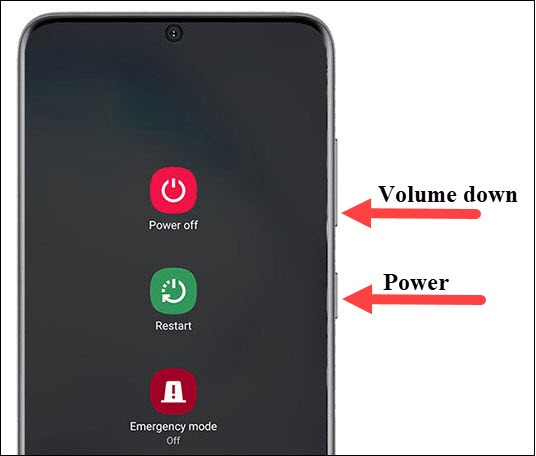
- Press and hold thePower buttonandVolume down button(right edge) until the 'Power off' prompt appears on the screen then release.
- Touch and holdPower offuntil the 'Safe mode' prompt appears then release.
- To confirm, tapSafe mode
.
This process may take up to 30 seconds to complete.Upon reboot, 'Safe mode' appears in the lower-left of the unlock / Home screen. - With Safe Mode enabled, ensure Airplane Mode is turned off then test device and app functionality.