Samsung Galaxy Book Go 5G - Volume Controls
Here's how to adjust the volume if your Galaxy Book Go 5G doesn't vibrate or play sounds when receiving messages.
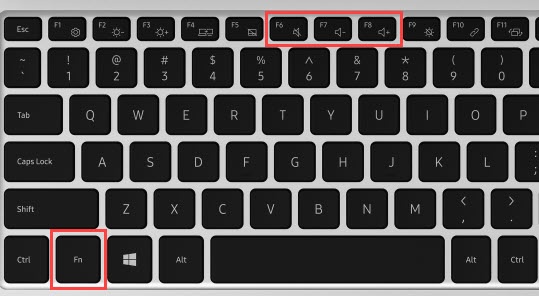
- From the keyboard, press and hold theFn key.
- Press theVolume keysto increase
or decrease
until the desired volume is achieved.
Press theMute keyto quickly mute or unmute the volume.

The volume can also be adjusted by clicking the  then click and drag the slider left or right to adjust the level.
Volume icon
then click and drag the slider left or right to adjust the level.