Orbic Smart WRIST - Restart Device
Here's how to restart your Smart Wrist if it crashes or resets, freezes or runs slowly.
A restart / soft reset can resolve issues like continuous resetting, rebooting, device crashing, freezing, won't ring or vibrate, can't make or receive calls, device locks up and screen doesn't respond.
- Ensure the software on your Smart Wrist™ by Orbic® is up to date as the steps below apply to the most recent version.
- A soft reset (turning the device off then back on) is similar to restarting a desktop computer and is one of the first steps in troubleshooting a device.
- In rare cases, a restart could affect data (e.g., back up in progress, cached data, etc.).
- This watch has a non-removable battery. This process can be used to simulate a 'battery pull' when the watch is unresponsive, frozen, or doesn't power on.
Preferred Method
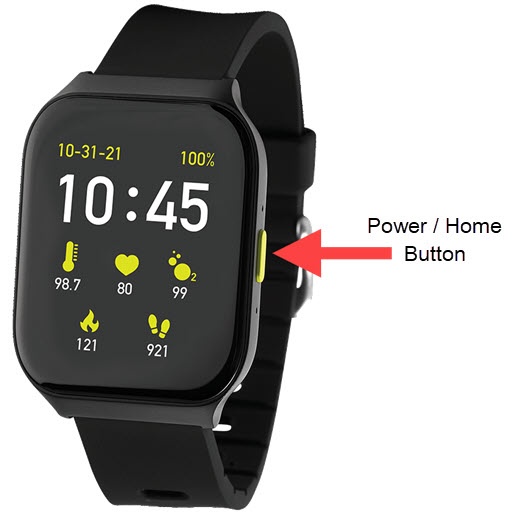
- From the watch screen, press and hold thePower / Home buttonuntil the options menu appears, then release.If the device is unresponsive or frozen, you can follow the alternate method to perform a reset.
- From the options screen, swipe the Restart option from left to right.
You can also restart the device by doing the following:
- Press thePower / Home button.
- Navigate:.SettingsMy Device
- TapRestart.
- From the 'Restart Watch?' screen, tapOKto confirm.To cancel, tapCancel.

Alternate Method
- Press and hold thePower / Home buttonfor approximately 10 seconds or until the watch power cycles.