Smart Wrist by Orbic - Manage Data Usage
Here's how to view the data usage and data usage cycle on your Smart Wrist.
- Ensure the software on your Smart Wrist™ by Orbic® is up to date as the steps below apply to the most recent version.
- Data usage info provided by the watch may differ from actual usage. For data usage info provided by Verizon, call #DATA (#3282) from the watch or refer to the My Verizon website.
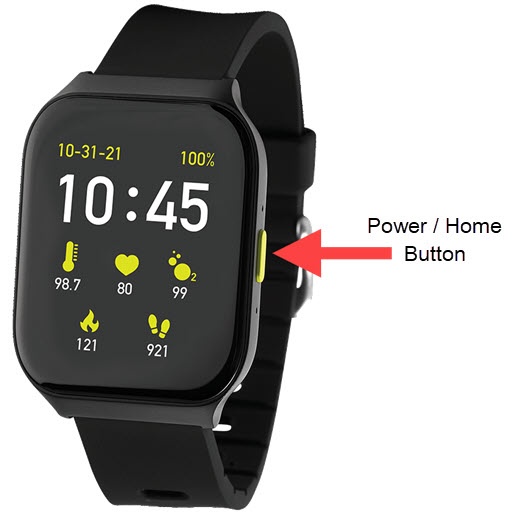
- From the watch screen, press thePower / Home buttonto open the apps screen.
- Navigate:.Settings iconCellular
- TapData usage.
- Do any of the following:
- View Data Usage:
- View total combined data usage for the current bill cycle.
- View Another Data Usage Cycle:
- Tap the currentData usage cycle(e.g., Jun 29 - Jul 28).Refer to the My Verizon website for the billing cycle date.
- Select the appropriate cycle to view the data usage for that time frame.
- View Data Usage by App:
- Navigate:.Settings iconApps Manager
- Locate then select the appropriate app.
- TapData usage.
- View usage by App.