MOTO G POWER (2021) - Check Device Storage
Here's how to check available space if your moto g power (2021) runs slowly or crashes, apps freeze or you can't save media.
- From a Home screen, swipe up to access all apps.
- Navigate:.SettingsStorage
- From Storage, view the used space.The image below is an example.

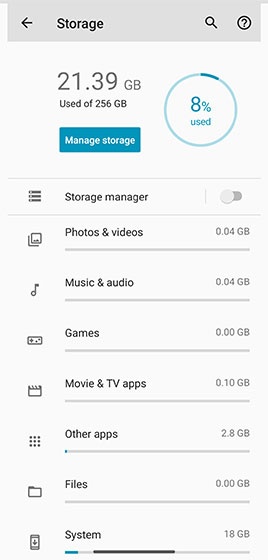
If the device memory is full, these items may be moved from internal storage to an SD / memory card or removed from the device: