Add discovery+ Subscription - My Verizon Website
Here's how to add a discovery+ subscription via the My Verizon website.
Only the Account Owner or Account Manager can perform these steps; here's additional info on account roles.
- From a web browser, sign in to My Verizon.
- From the My Verizon Home screen, navigate: .If accessing from a mobile browser, select theMenu icon
(upper-right) then navigate: .
- Select Services & perks overview then scroll to the 'Entertainment' section and selectLearn morein the 'discovery+ section.
- SelectGet it now(upper-right).
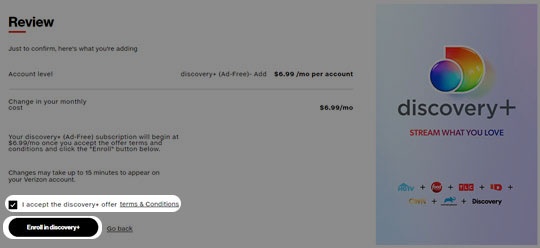
- To continue, accept the Terms & Conditions by selecting thecheckboxthen tapEnroll in discovery+.Select plans include a discovery+ promotional offer. For more info, check out these discovery+ FAQs.
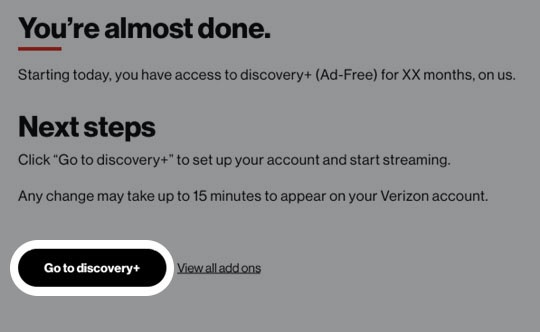
- Review the info then tapGo to discovery+.You're redirected to the discovery+ Account Creation page to finish the account setup, where you're required to create an account.
- From the 'Create Your Account or Sign in' page, enter your email and create a password then tapAGREE & CONTINUE.