One Talk T41S/T41SW & T42S IP Desk Phones - Enable / Disable Paging
Here's how to turn the paging function on or off for your One Talk T41S/SW or T42S IP Desk Phone.
- Paging is a device-level feature available for compatible One Talk Desk Phone models. The feature is enabled by the end user on each Desk Phone as opposed to a setting in the One Talk portal.
- Once enabled, customers using compatible Desk Phones can broadcast a message to all other Desk Phones connected to the business local area network (LAN).
- If a customer has configured LAN traffic restriction policies in their firewall, the following must be open in order for paging to work properly:
- Protocol: UDP
- Port: 8665
- A customer wanting to send a page using IP Multicast should use the IP address 224.0.0.1 as the destination address of their IP paging devices. No additional configuration is required on clients or servers for multicast to work; however on some network operating systems the firewall may need to be configured to allow UDP data to and from the IP range 224.0.0.0/4 (gateway address 224.0.0.0 with a subnet mask of 240.0.0.0).
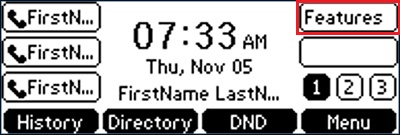
- From the Home screen, press theFeatures soft key.
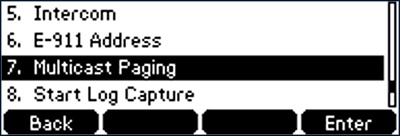
- Using the up/down arrow keys, highlightMulticast Pagingthen press theEnter key.
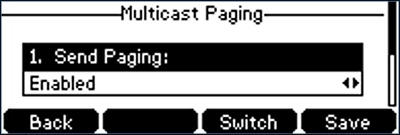
- Using the up/down arrow keys, highlightSend Pagingthen use theleft/right arrow keysto enable or disable.
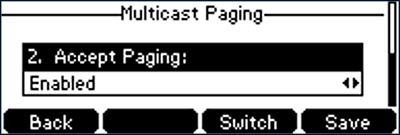
- Using the up/down arrow keys, highlightAccept Pagingthen use theleft/right arrow keysto enable or disable.
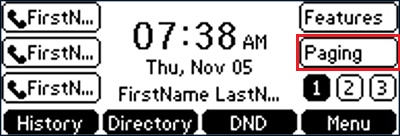
- If paging is enabled, a soft key labeled 'Paging' appears on the home screen.