Apple iPhone 12 / iPhone 12 mini - View SIM Card Number
Here's how to view the SIM card number associated with your iPhone 12 / iPhone 12 mini.
If you need to view the SIM Card number (ICCID) for your Apple® iPhone® 12 / iPhone 12 mini, follow these step-by-step instructions.
- From a Home screen, navigate:.SettingsGeneralAbout
- View the ICCID number.

You can also remove the SIM card and view the 20-digit SIM card number (with the gold contacts facing away). 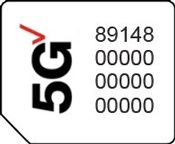
If you're using an eSIM, there is no physical SIM card to remove.