Inseego MiFi 2100 5G UW - Network Mode Settings
View this info on network mode settings if you're having issues with data services on your MiFi 2100 5G UW.
Changing advanced settings may be harmful to the stability, performance, and security of your Inseego MiFi® 2100 5G UW. Contact your local IT admin before altering advanced settings.
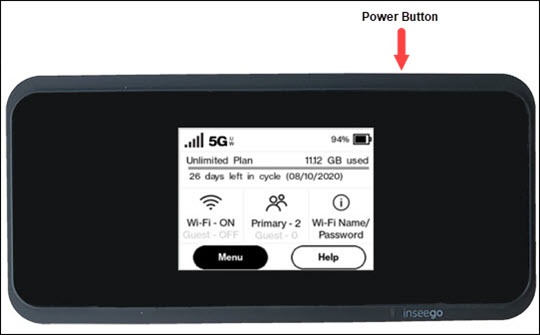
- From the Home screen, tapMenu(lower-left).If necessary, press thePower button(top-right edge) to turn on the display.
- TapSettings.
- TapNetwork Settings.
- View the setting (selected when a black dot is present).5G/LTE: This is the only setting available.
You can also view network mode settings info via the Admin Web Interface by navigating:
Settings
> Advanced tab
> Continue
then editing the Network selection settings.