Orbic Journey L - Place a Conference Call
Here's how to place a conference call from your Journey L.
HD Voice allows calling with up to 6 parties while in a Verizon 4G LTE coverage area; however, each additional call must be initiated by the call originator.
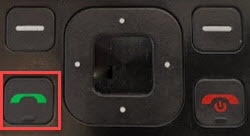
- From the main screen, enter a 10-digit phone number then press theSEND keyorcenter button.Utilize the 5-way navigation pad on your Orbic® Journey™ L to highlight and the center button to select.
- Once the connection is successful, press theright soft key
to choose Options.
- SelectAdd call.
- Highlight then select one of the following:
- Contacts
- Call history
- Enter phone#
- Press theleft soft key
- Press theright soft keyto choose Options.
- SelectMerge calls.To end the calls completely, press theEnd key.