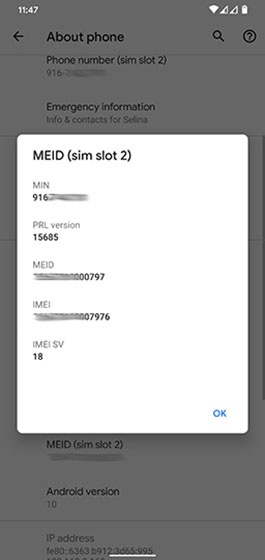
Google Pixel Phones - View Digital SIM (eSIM) IMEI
Here's how to view the SIM IMEI (sim slot 2) for your dual SIM capable Pixel smartphone.
The following Pixel phones don't support Dual SIM Dual Standby (DSDS):
- Pixel Phone by Google
- Pixel 2/2XL
- Pixel 3/3XL
- Pixel 3a/3aXL
- From the Home screen, swipe up from the middle to display all apps.
- Navigate:.SettingsAbout phone
- TapIMEI (sim slot 2).If IMEI (sim slot 2) is not displayed, navigate:. IMEI (sim slot 2) will now display. Return to the Home screen and repeat steps 1 and 2.SettingsNetwork & internetAdd SIM iconDownload a new eSIM
- View the IMEI.