Google Pixel Phones - Dual SIM Dual Standby - Switch Default Voice Line
Here's how to switch the default line used for voice on your dual SIM capable Pixel smartphone.
The following Pixel phones don't support Dual SIM Dual Standby (DSDS):
- Pixel Phone by Google
- Pixel 2 / 2XL
- Pixel 3 / 3XL
- Pixel 3a / 3aXL
Only one mobile number at a time can be set as the default.
- From a Home screen, swipe up from the middle to display all apps.
- Navigate:.SettingsNetwork & Internet
- TapSIMs.
- Tap the line you want to turn data on (name varies; example Verizon eSIM).
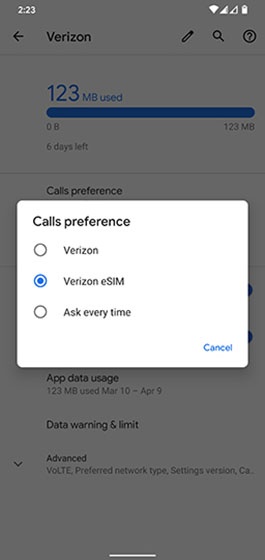
- TapCalls preferencethen tap the preferred option.Image below is an example and options presented may vary.