Care Smart app - Manage Reminders
Here's how to add, edit or delete reminders for your Care Smart watch via the Care Smart app.
- This content is only available for the Care Smart watch.
- Ensure the Care Smart app is updated (Google Play™ Store or Apple® App Store®).
- Check out these Care Smart FAQs for more info.
Add a Reminder
- Open theCare Smart app.If presented with the PIN screen, enter your PIN.
- TapDashboard.
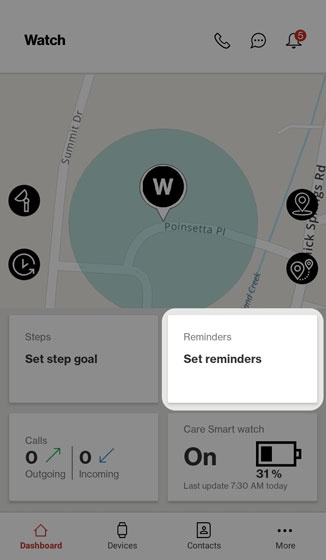
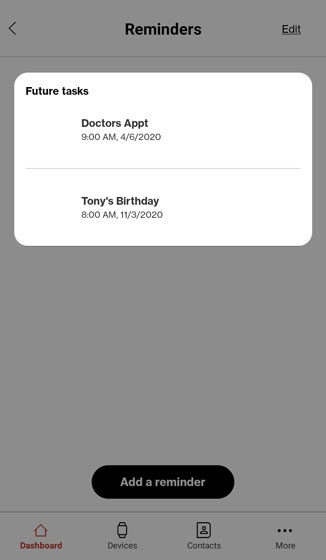
- Tap theReminders card.
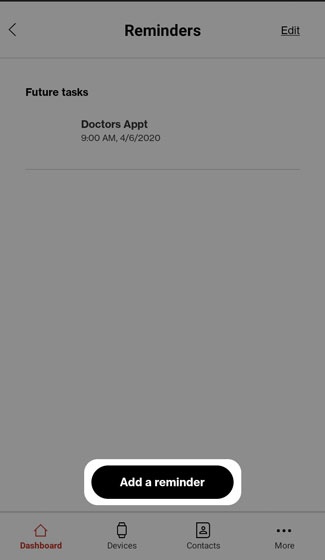
- TapAdd a reminder.
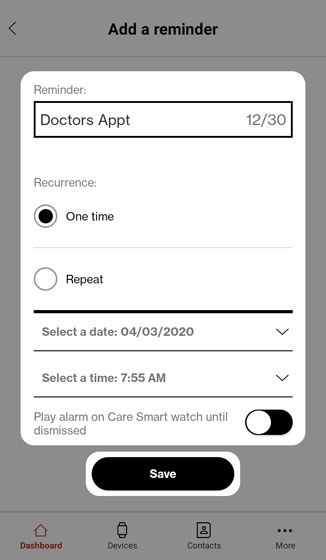
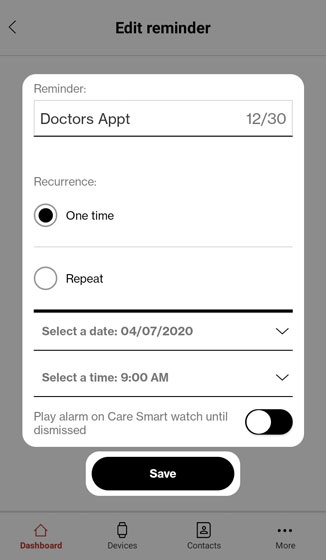
- Configure the available options (e.g., reminder name, recurrence, date, time) then tapSave.


Edit a Reminder
- Open theCare Smart app.If presented with the PIN screen, enter your PIN.
- TapDashboard.
- Tap theReminders card.
- Tap the reminder you wish to edit.
- Make necessary changes then tapSave.
Delete a Reminder
- Open theCare Smart app.If presented with the PIN screen, enter your PIN.
- TapDashboard.
- Tap theReminders card.
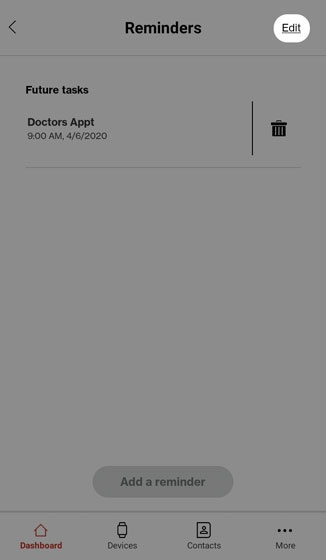
- Tap theEdit.
- Do one of the following:
- On an Apple® iPhone®, tap theRemove iconthen tapDelete.
- On an Android™ smartphone, tap theTrash icon.