Session status messages
Session Status

Due to inactivity, your session will end in approximately 2 minutes. Extend your session by clicking OK below.

Due to inactivity, your session has expired. Please sign in again to continue.

Care Smart watch - Power the Device On / Off

2026-10-22 19:10:54.86

Care Smart watch - Power the Device On / Off

Here's how to turn your Care Smart watch on or off.

Power the Device On

  1. From your Care Smart watch, press and hold the Power button for 5 seconds or until you see the 'Verizon' screen.
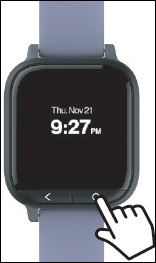
    Power button

Power the Device Off

  1. From your Care Smart watch, press and hold the
    Power button
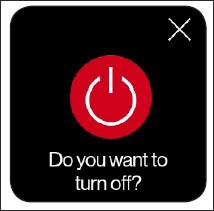
    for 5 seconds or until you see the prompt to power off.
    Power button
  2. Tap the
    Power icon Power icon
    .
    Tap the Power icon