LG V60 ThinQ 5G UW - Capture a Screenshot
Here's how to take a screenshot on your V60 ThinQ 5G UW.
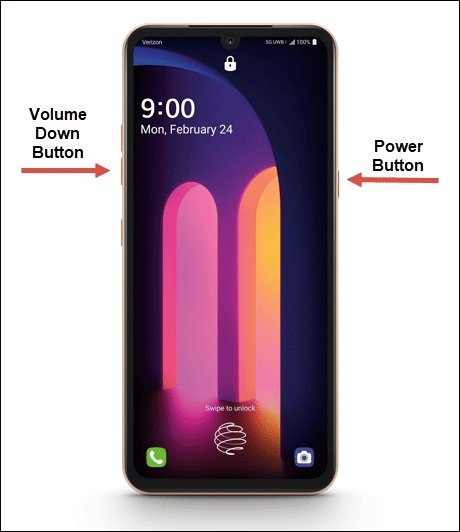
If you need to take a screenshot on your LG V60 ThinQ™ 5G UW, follow these step-by-step instructions.
- To capture a screenshot, simultaneously press and hold thePower(right edge) andVolume Down Button(left edge).Tap 'Gallery' or 'Photos' to view the screenshot you've taken.
- Once you capture a screenshot, the following options may appear:If no option is selected, the image automatically saves in the Gallery.
- Share
- Edit
- Delete