GizmoWatch 2 - Activities and Gadgets
Here's how to access fun activities and gadgets on your GizmoWatch 2.
GizmoWatch™ 2 is designed to work in conjunction with the Smartphone app of the caregiver. However, this device is equipped with a touch screen.
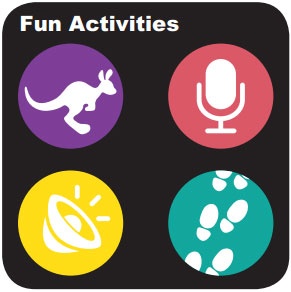
Fun Activities
- Swipe left or right from the main screen to access the 'Fun Activities' screen.You can also swipe down from the top of a Home screen to reveal the status screen.
- Do any of the following:
- Tap the 'Games icon'
to play games.
- Tap the 'Microphone icon'
to record a message.
- Tap the 'Fun Sounds icon'
to listen to different fun sounds.
- Tap 'Steps icon'
to see how many steps you have.
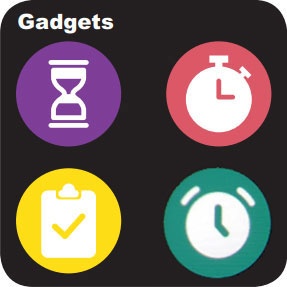
Gadgets
- Swipe left or right from the main screen to access the 'Gadgets' screen.You can also swipe down from the top of a Home screen to reveal the status screen.
- Do any of the following:
- Tap the 'Timer icon'
to start a timer.
- Tap the 'Stopwatch icon'
to start a stopwatch.
- Tap the 'To-Do icon'
to check the to-do list.
- Tap the 'Alarms icon'
to add a new alarm.