Stream TV - Clear App Cache
Here's how to clear cached data if your 1st-generation Stream TV runs slow, crashes or resets, or apps freeze.
Follow the steps below to clear temporary files and free up storage on your device without losing info.
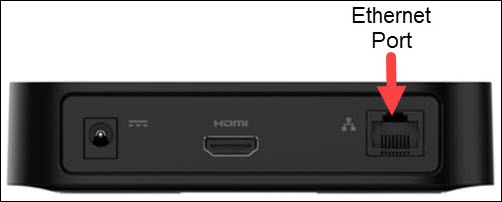
- The steps below apply to the original Stream TV, which can be identified by the Ethernet port on the back of the device. If you have the 2nd-generation Stream TV model, refer to Stream TV - Clear App Cache.
- Ensure your Stream TV is up to date as the following steps apply to the most recent version.
Clear Individual App Cache
- If necessary, press theHome button
on your Stream TV remote to wake up your device.
- From the Stream TV Home screen, select theSettings menu
(upper-right).
Utilize 5-way navigation pad on the remote to highlight and the center (OK) button to select. - Navigate: .
- Locate then select the appropriate app.If necessary, selectSee all apps.
- SelectClear cache.This option may not be available for some apps.
- SelectOK.
Clear All Cached Data
- If necessary, press theHome button
- From the Stream TV Home screen, select theSettings menuUtilize 5-way navigation pad on the remote to highlight and the center (OK) button to select.
- Navigate: .
- SelectInternal shared storage.
- SelectCached data.
- SelectOKto confirm.
For additional info, see this Stream TV support page.