5G Home Router - Set Up Port Forwarding
Here's how to set up port forwarding, an advanced networking option, on the 5G Home Router.
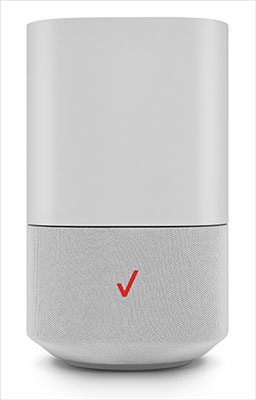
- This content is for 5G Home Internet. Here's info on Fios Home Internet.
- 5G Home Internet service is currently offered in specific areas. Here's how to check for 5G coverage availability.
Port forwarding is an advanced networking feature. To obtain app settings, contact the app creator.
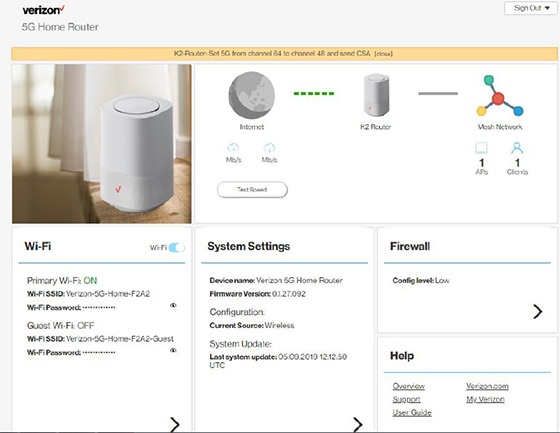
- Sign in to the Admin WebGUI.You must be connected to the 5G Home Internet network to access the admin page.
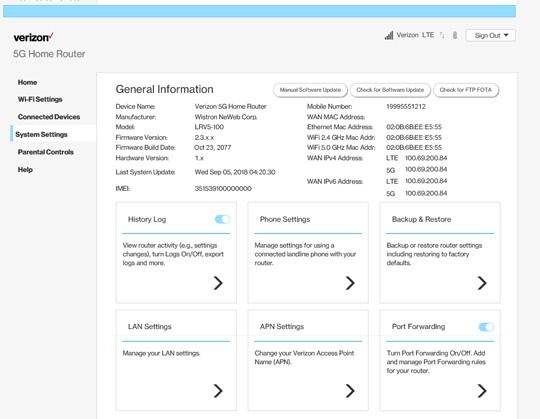
- From the Router Home screen, clickSystem Settings.
- From the General Information screen, clickPort Forwarding.
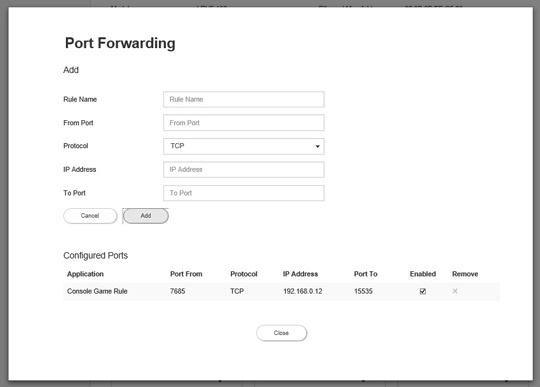
- From Port Forwarding, configure the appropriate forwarding options then clickAdd.Click thePort Forwarding switchto turn on
or off
.
Rules under Configured Ports are enabled when a checkmark is present.- Rule Name
- From Port
- Protocol (select from the dropdown menu
)
- IP Address
- To Port
- ClickClose.