5G Home Router - Check for Software Update
Here's how to check for or install software updates on the 5G Home Router.
- This content is for 5G Home Internet. Here's info on Fios Home Internet.
- 5G Home Internet service is currently offered in specific areas. Here's how to check for 5G coverage availability.
- Sign in to the Admin Web GUI.You must be connected to the 5G Home network to access the admin page.
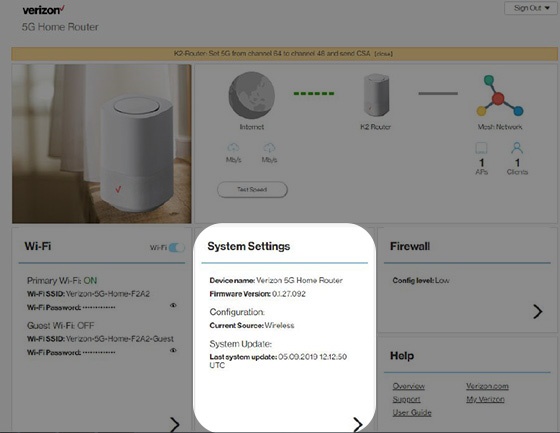
- From the Router Home screen, clickSystem Settings.
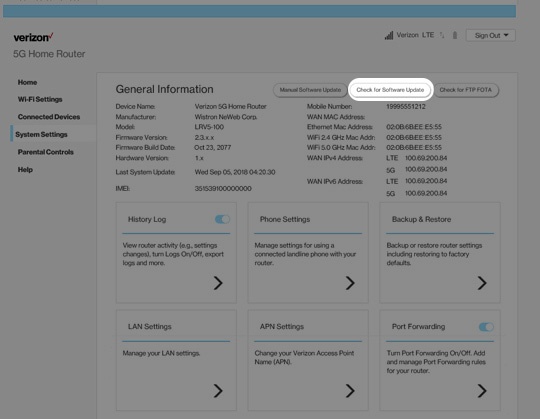
- From the General Information screen, clickCheck for Software Update.Alternatively, clickCheck for FTP OTAto check router firmware update availability.