Samsung Galaxy A10e - Capture a Screenshot
Here's how to capture a screenshot from your Galaxy A10e.
To capture a screenshot, simultaneously press then quickly release the 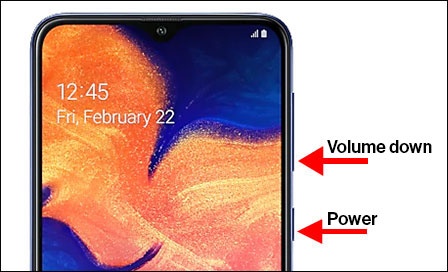
Power
and Volume down buttons
.To view the screenshot you've taken:
- From a Home screen, swipe up to access the apps screen.
- TapGallery.
- TapAlbums(lower-left).
- TapScreenshots.
