Kazuna eTalk™ - Volume Controls
Here's how to adjust volume on your eTalk if it won't vibrate or ring when getting messages or alerts.
Adjusting volume controls can help if you're not getting notifications, ringing, vibrating when receiving calls, texts and/or emails.
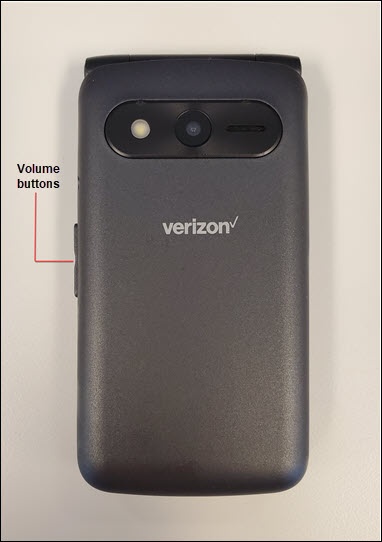
Press the
Volume buttons
up or down adjust: - earpiece volume while on a call.
- media volume while listening to music or playing videos.
- ringtone volume when not on a call or listening to music or playing videos.
To adjust volume settings when not on a call, do the following:
- From the main screen, selectMenu.Utilize the 5-way navigation pad to highlight and the center button to select.
- SelectTools &Settings.
- SelectSound thenchoose from the following to adjust:
- Ringtones volume
- Media volume
- Notification volume
- Alarm volume
- Press the bottom of the navigation pad (to decrease volume) or the top of the navigation pad (to increase volume) then selectOK.