Sonim XP8 - Volume Controls
Here's how to adjust the volume if your Sonim XP8 doesn't vibrate or play sounds when receiving calls / messages.
Press the
Volume buttons
(right edge) up or down to adjust the following on your Sonim XP8® : - earpiece volume while on a call.
- media volume while listening to music or playing videos or games.
- ringtone volume when not on a call and no media apps are actively used.
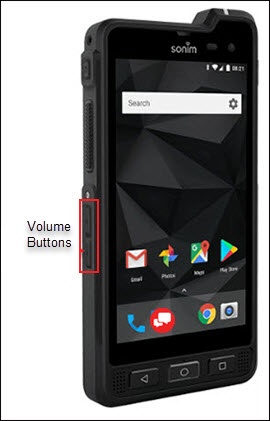
To adjust volume settings when not on a call or actively using an app, do the following:
- From a Home screen, swipe up to access the apps screen.
- Navigate:Settings
>
Sound. - Adjust any of the following:Drag the slider left or right to adjust the level.
- Media volume
- Call volume
- Ring volume
- Alarm volume
- Notification volume
- Tap theVibrate for callsswitch to turn it on
or off
.