Lenovo tab 4 8 PLUS - Capture a Screenshot
Here's how to take a screenshot on your Tab 4 8 PLUS.
Press and hold the 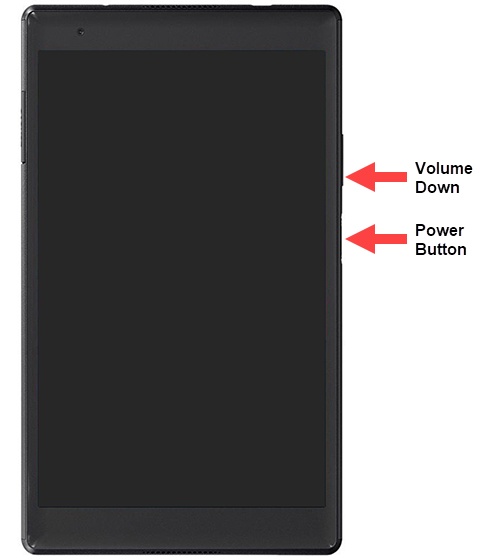
Power and Volume down buttons
at the same time (for approximately 2 seconds). To view the screenshot you've taken:
- Swipe up from the center of a Home screen then tapPhotos.
- Tap theMenu icon(upper-left)
then navigate:
Device folders>Screenshotsand tap the desired image.
