GizmoHub App - Accept Invitation
Here's how to accept an invite to be a Gizmo contact (e.g., Caregiver, Guardian, etc.) via the GizmoHub app.
Follow the steps below to accept an invite to be a Gizmo contact (e.g., caregiver, buddy, etc.) via the GizmoHub app
Before completing the steps below, verify:
- the GizmoHub app is updated (Google Play™ Store or Apple® App Store®).
- the Primary Guardian has added a contact.
- Open theGizmoHub app
.
If necessary, install the GizmoHub app via the Google Play™ Store or Apple® App Store®. - From the 'Get started' screen, choose one of the following:
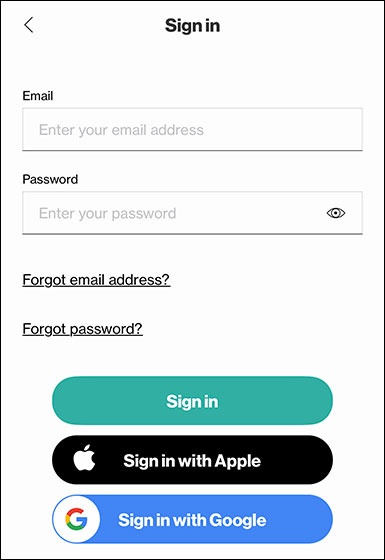
- Enter your email address and password, then tapSign In.To sign in using an Apple account, tapSign in with Apple.To sign in with a Google account, tapSign in with Google.
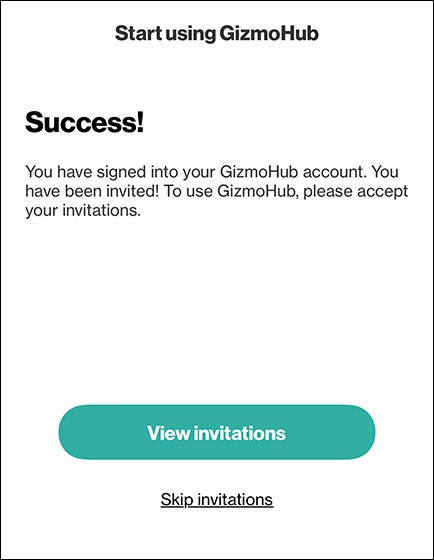
- From the 'Success!' screen, tapView invitations.
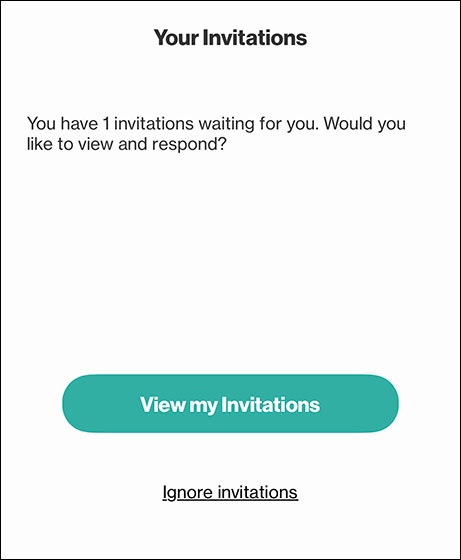
- From the 'Your Invitations' screen, tapView my Invitations.If prompted, enter the security code received via text message then tapNext.
- TapAccept invitation.