Apple iPhone - Dual SIM with an eSIM - Set Preferred Cellular Plan by Contact
Here's how to designate which cellular plan your dual SIM capable iPhone uses to communicate with specific contacts.
If you need to set the preferred mobile number used to communicate with specific contacts on your Dual SIM with an eSIM capable Apple® iPhone®, follow these step-by-step instructions.
- The steps below apply to the following Apple iPhone models:
- iPhone XS / XS Max and newer models
- iPhone SE (3rd Gen)
- From a Home screen, tap thePhone app
.
If an app isn't available on your Home screen, swipe left to access the App Library. - TapContacts(bottom of the screen).
- Tap the preferred contact.
- TapEdit(upper-right).
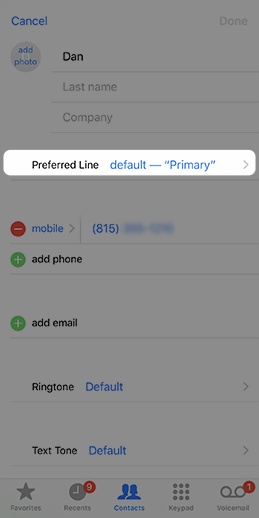
- TapPreferred Line.This option is only available when both the physical SIM card and eSIM are activated.
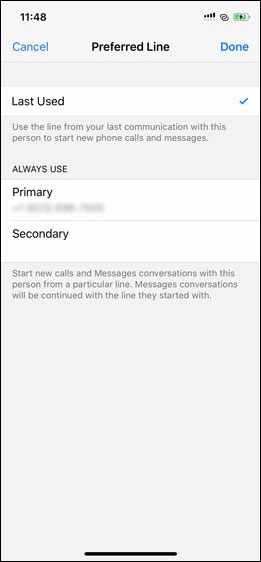
- Tap the number you want to use with that contact.TapLast Usedto use the line you last communicated with contacts to start new calls and messages.
- TapDone(upper-right).
For additional Dual SIM info, check out this Apple article.