Session status messages
Session Status

Due to inactivity, your session will end in approximately 2 minutes. Extend your session by clicking OK below.

Due to inactivity, your session has expired. Please sign in again to continue.

Apple Watch - Stop Running Apps

2026-10-22 17:06:46.369

Apple Watch - Stop Running Apps

Here's how to stop apps that are running on your Apple Watch.
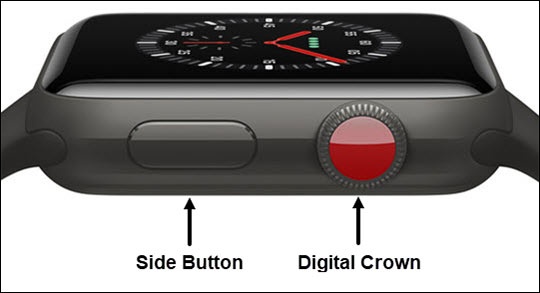
  1. Press the
    Digital Crown
    on your Apple Watch® twice to display all open apps.
    If unavailable, press the
    Side Button
    to display all open apps.
    Side Button
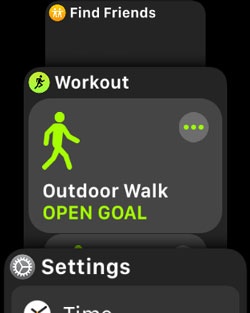
  2. Scroll to the desired app.
    Running Apps
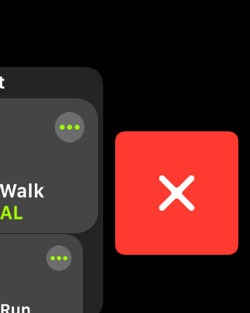
  3. Swipe the desired app from right-to-left.
  4. Tap the
    Remove icon
    .
    Remove App