GizmoWatch™ - Configure Settings
Here's how to configure settings on your GizmoWatch.
The GizmoWatch is designed to work in conjunction with the Smartphone app of the caregiver. However, this device is equipped with a touch screen.
Swipe left or right to view the following Home screen panels:
You can also swipe down from the top of a Home screen to reveal the status screen.
Settings
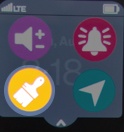
- To access Settings, swipe down from the Home screen.
Themes
- Tap theTheme icon.
- Scroll through Themes then tap the preferred theme.
- Tap theCheckmark icon
to save.