One Talk Portal - Add / Edit Email Address
Here's how to add or edit your email address via the One Talk Portal.
Refer to the One Talk admin portal simulator for interactive demonstrations.
- Sign in to My Business.
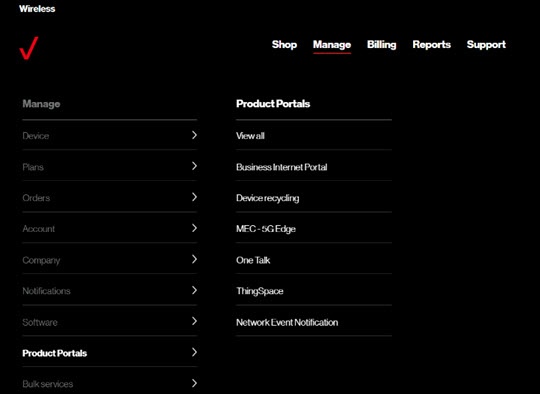
- ClickManage(top of screen).
- Mouse overProduct Portalsthen clickOne Talk.If necessary, clickView all.
- From the 'I want to' section, clickManage lines and devices.
- If necessary, select the desired group from the dropdown menu then click theDevices tab.
- Click the desired phone number in the left column.
- From the 'Line information' tab, clickEdit.
- Enter the appropriate email address into the Email field then clickSubmit.