Apple Watch - Adjust Display Settings
Here's how to change the brightness and text size on your Apple Watch.
The steps below apply to the Apple Watch® Series 3 and newer models.
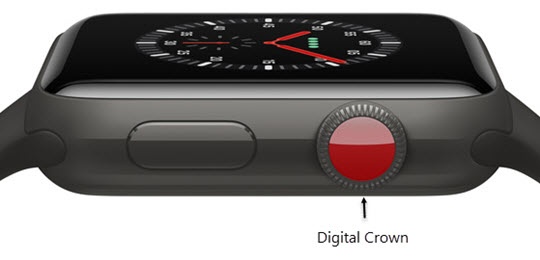
- From the Watch face screen, press theDigital Crownto access the Apps screen.
- Tap theSettings icon
.
- TapDisplay & Brightness.
- Tap the Brightness controls to adjust, then turn the digital crown.
- TapText Sizethen turn the digital crown to increase or decrease.
- TapBack(upper-left) to return to the previous screen.
- Tap theBold text switchto turn on
or off
.