Session status messages
Session Status

Due to inactivity, your session will end in approximately 2 minutes. Extend your session by clicking OK below.

Due to inactivity, your session has expired. Please sign in again to continue.

Apple Watch - View Device ID

2026-10-22 17:06:25.451

Apple Watch - View Device ID

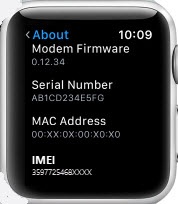
Here's how to find the device ID for your Apple Watch.
The steps below apply to the Apple Watch® Series 3 and newer models.
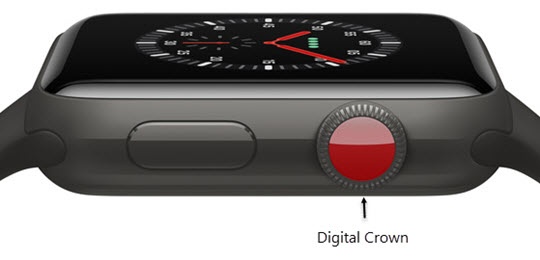
  1. From the Watch face screen, press the
    Digital Crown
    to access the Apps screen.
    Digital Crown
  2. Tap the
    Settings icon Settings
    .
  3. Tap
    General
    .
  4. Tap
    About
    then scroll down.
    The device ID appears in the IMEI field.
    View device info